

The fastest way to translate an SRT subtitle file is to upload it to an SRT-aware online translator, select your source and target languages, run automatic translation, edit any errors inline, then download the finished .srt. The whole process takes under two minutes for a typical episode.
Quick checklist:
- Upload your
.srtfile (drag and drop works on most tools) - Set source language (or use auto-detect) and target language
- Run the automatic translation
- Edit inline to fix any mistranslated lines or awkward phrasing
- Download the translated
.srtand test it with your video
Pro Tip: Always open the translated file in a video player before you share it. A quick 30-second preview confirms timecodes are intact and text displays correctly.
Key Takeaways
Translate SRT subtitles with an SRT-aware tool that parses timecodes separately, edit before downloading, and preview with the original video to confirm sync.
| Point | Details |
|---|---|
| Use an SRT-aware translator | Tools that parse and rebuild SRT structure keep timecodes intact; raw text translators corrupt them. |
| Edit before you download | Fix idioms, line breaks, and speaker labels inline to avoid errors in the final file. |
| Check encoding first | Re-save in UTF-8 if characters appear garbled after translation. |
| Escalate to human review | Legal, medical, or publication-grade content needs human-in-the-loop review for accuracy. |
| Youtubetotranscript for YouTube files | One-click transcription, translation into 89+ languages, and direct SRT/VTT export from any YouTube URL. |
Table of Contents
- How do subtitle translators actually preserve your timecodes?
- Which subtitle formats can you translate, and when should you convert first?
- Step-by-step: how to translate an SRT file from upload to download
- How accurate is automatic SRT translation, and when do you need human review?
- Troubleshooting garbled characters, wrong timestamps, and broken structure
- Why Youtubetotranscript is the right starting point for YouTube videos
- Get your translated SRT in one click with Youtubetotranscript
- Sources
- FAQ
How do subtitle translators actually preserve your timecodes?
A dedicated subtitle translator does three things a raw text editor cannot: it parses the SRT structure, translates only the dialogue, then rebuilds the file. Here is what that looks like under the hood.
- Parse: The tool reads each subtitle block and separates sequence numbers and timecodes from the actual text lines.
- Translate: Only the dialogue lines go to the translation engine. Timecodes never leave the original structure.
- Rebuild: Translated text is reinserted into the original timestamp slots, producing a valid
.srt.
This is why pasting an entire SRT into Google Translate breaks the file. As the rockbenben/subtitle-translator project documents, running a raw text translator over the whole file corrupts timecodes and sequence numbers. Tools that parse and reassemble avoid that entirely. Advanced CLI tools using chunked compression and parallel processing can approach near-real-time speeds on batch jobs, making them practical for translating a full season at once.
Which subtitle formats can you translate, and when should you convert first?
Most online subtitle translators handle the common formats you will encounter:
- SRT (.srt): the most widely supported; plain text with sequence numbers and timecodes
- VTT (.vtt): used by HTML5 players; includes region and positioning metadata
- ASS/SSA (.ass/.ssa): supports style tags, fonts, and positioning for karaoke or styled subtitles
- SUB (.sub): frame-based or time-based, depending on the encoder
- SBV (.sbv): YouTube’s native caption format
- STL (.stl): broadcast standard with binary or text variants
Convert ASS or STL files to SRT before translating if your chosen tool does not explicitly support their style tags. Translating an ASS file through an SRT-only parser strips the formatting data.
Pro Tip: If you need styling preserved after translation, pick a tool that exports back to the original format or produces bilingual output. Otherwise, convert to SRT, translate, then reapply styles manually.
Step-by-step: how to translate an SRT file from upload to download
- Open your subtitle translator — an online tool or the Youtubetotranscript workflow for YouTube-origin files.
- Upload or drag and drop your
.srtfile into the interface. - Set languages — choose your source language or enable auto-detect, then select the target language.
- Run the translation — the tool sends dialogue lines to the translation engine and returns results in seconds.
- Edit inline — fix line breaks, punctuation, or any phrasing that lost meaning in translation.
- Download the translated
.srt— use a clear naming convention likefilename_ES.srtfor Spanish so multi-language exports stay organized.
For bulk jobs, CLI tools like trxsrt support concurrency flags and an --all-languages option, letting you translate a folder of files across 70+ languages in one command. The LeeHunter/SRT-Translator Python script adds a GUI and can generate vocabulary breakdowns for Chinese-source files, useful for language learners or localization teams.
Pro Tip: Preview with the original video immediately after download. Even a 30-second clip will reveal sync drift or display issues before you distribute the file.
How accurate is automatic SRT translation, and when do you need human review?
Automatic translation handles straightforward dialogue well. It struggles with idioms, cultural references, speaker labels, and lines split mid-sentence across subtitle blocks. Common errors include:
- Context loss when a sentence spans two subtitle blocks
- Mistranslated idioms or culturally specific phrases
- Dropped or misformatted speaker labels
- Punctuation errors at line breaks
Context-aware processing that merges adjacent lines or uses a short context window measurably improves coherence compared with naive line-by-line translation. For most personal or informal use, automatic translation is sufficient. For legal, medical, or publication-grade content, human review is the standard. Professional platforms like DeepL’s SRT translation offer glossary controls and tone settings that free tools do not. Transcript translation tools supporting 25–30+ languages show how multi-language workflows scale when accuracy and speed both matter.
Pro Tip: Keep each subtitle line under 42 characters where possible. Shorter lines reduce the chance of awkward mid-phrase breaks after translation.
Troubleshooting garbled characters, wrong timestamps, and broken structure
If your translated file looks wrong, these are the most common causes and fixes:
- Garbled characters: the file was saved in a legacy encoding (Windows-1252, Latin-1). Open in a text editor and re-save as UTF-8.
- Shifted timecodes: the translator touched structural lines. Use a tool that explicitly parses and reassembles SRT blocks, or run a subtitle validator to restore structure.
- Doubled or mis-split lines: merge adjacent subtitle blocks manually or adjust line breaks so each block reads at a comfortable pace.
Pro Tip: Open the translated .srt in any plain text editor and check that the first and last timestamps match the original file exactly. A mismatch there usually means the tool processed structural lines it should have left alone.
Why Youtubetotranscript is the right starting point for YouTube videos
For files that originate on YouTube, a standalone SRT translator adds an unnecessary step. Youtubetotranscript extracts audio directly from a YouTube video, transcribes it with AI, translates into 89+ languages, and exports a ready-to-use .srt, .vtt, or .txt in one workflow. Cloud storage keeps your transcripts accessible for later edits.
Where a local CLI tool is the better fit: privacy-sensitive content, very large batch jobs, or workflows requiring custom glossaries. The srttranslate PyPI package using the DeepL API and the rockbenben subtitle-translator project both handle those cases well.
For YouTube-origin content, Youtubetotranscript removes every intermediate step.

Get your translated SRT in one click with Youtubetotranscript
Youtubetotranscript cuts the upload-translate-download loop down to a single workflow: paste a YouTube URL, and the tool transcribes, translates into any of 89+ languages, and exports a clean .srt or .vtt you can use immediately.
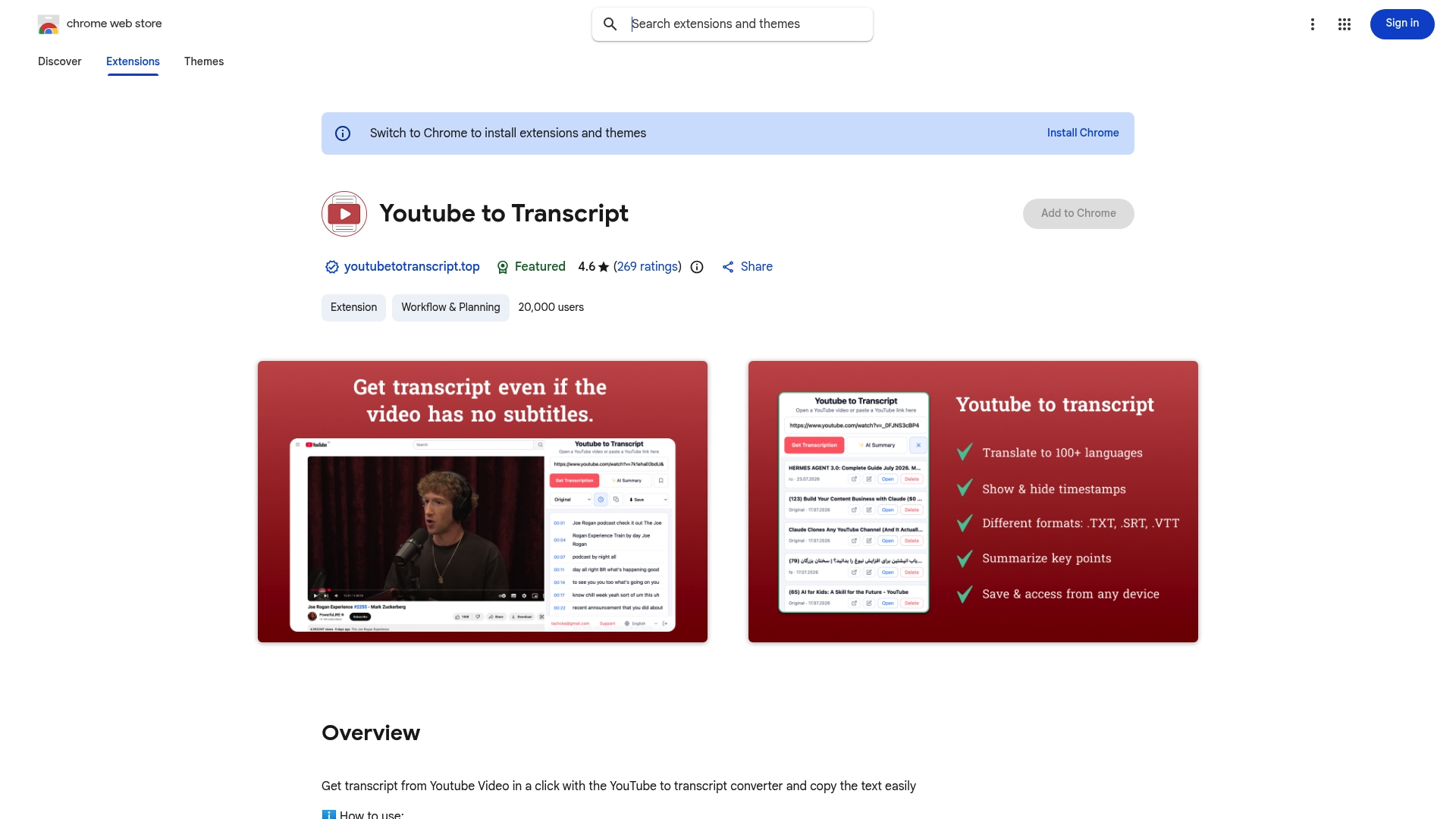
Install the Chrome extension or sign up at Youtubetotranscript, open any YouTube video, and use the export controls to select your target language and file format. The free tier covers basic transcription and translation; Pro plans unlock batch exports, extended cloud storage, and advanced language options. If you regularly work with YouTube content in multiple languages, the Pro plan pays for itself in time saved on the first project.
Sources
For power users who need local processing, batch speed, or API-driven control:
Choose a local tool when privacy matters or batch size is large. Use a cloud API tool when translation quality is the priority. Always test on a short clip before committing to a full-season batch.
FAQ
What is the fastest way to translate an SRT file?
Upload the .srt to an SRT-aware online translator, select your languages, run auto-translate, edit inline, and download. The process takes under two minutes for a standard file.

Why do timecodes break when I translate an SRT file?
Pasting the entire file into a raw text translator causes the engine to modify sequence numbers and timestamps. Use a tool that parses structural lines separately and only sends dialogue to the translation engine.
Can I translate SRT subtitles for free?
Yes. CLI tools like trxsrt use Google Translate without an API key. Youtubetotranscript also offers a free tier for basic transcription and translation of YouTube-origin content.
When should I use human review instead of automatic translation?
Use human review for legal, medical, or publication-grade content where accuracy is critical. Automated tools handle casual dialogue well but struggle with idioms, jargon, and context split across subtitle blocks.
Does Youtubetotranscript export translated SRT files?
Yes. Youtubetotranscript transcribes YouTube audio, translates into 89+ languages, and exports the result as .srt, .vtt, or .txt directly from the YouTube URL.
Leave a Reply
You must be logged in to post a comment.