
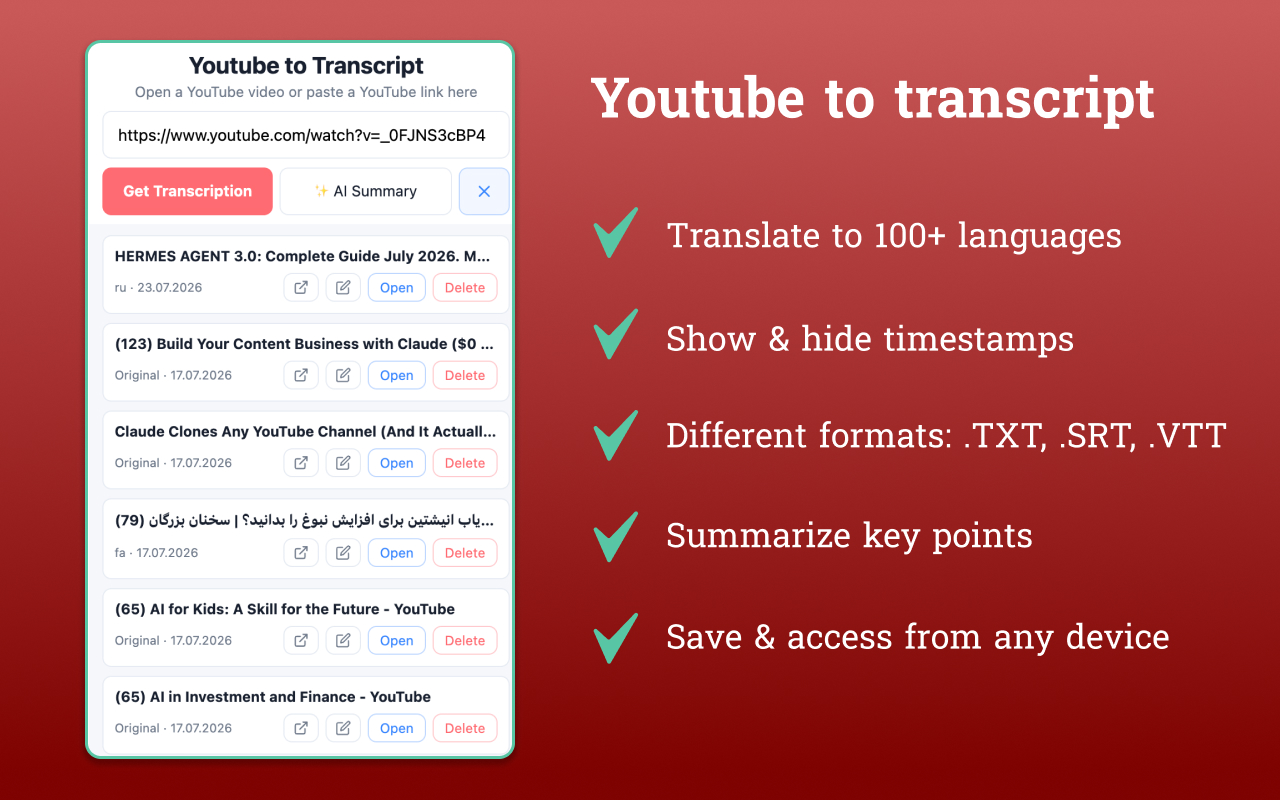
A high level overview of how the product evolved from an MVP into a production-ready SaaS.
1. From No-Code to a Fully Custom Codebase
Before: The extension was built on a Bubble template using a fixed-position overlay injected directly into the YouTube page. It depended heavily on YouTube’s DOM structure, so even small layout changes could break the interface or cover page content.
Now: The product is a native Chrome Extension built with Manifest V3 and a fully custom codebase. It uses the official Chrome Side Panel API instead of an injected overlay, while a dedicated Node.js/Fastify backend securely stores all API keys on the server. Nothing sensitive is ever exposed to the client.
Why it matters: The product is no longer tied to a no-code platform or vulnerable to YouTube layout updates. The buyer gets complete ownership of a clean, maintainable codebase, exactly what you’d expect during technical due diligence.
2. Transcript Translation: From Expensive AI Calls to a Smart 3-Level System
Before: Every translation relied on a paid Gemini AI request. Each transcript was processed as a single blocking request, so longer videos could take up to a minute with no progress indicator. Only 30 languages were available.
Now: Translation follows a three-step fallback system:
- Native YouTube subtitles in the requested language (free).
- YouTube’s built-in auto-translation (
tlang) (also free). - Gemini AI only when the first two options aren’t available, using parallel chunk processing with live progress updates.
The extension now supports 101 languages instead of 30.
Why it matters: Most translations now cost nothing. Paid AI is only used when absolutely necessary, dramatically reducing operating costs. The exact percentage of free translations and AI token usage is tracked in analytics instead of being estimated.
3. AI Transcription for Videos Without Subtitles
Before: If a video didn’t have subtitles, users simply saw a “no-subtitles” message due to a production bug instead of receiving a transcript.
Now: When subtitles aren’t available, the extension automatically offers AI transcription using AssemblyAI. Users see live progress, and completed transcripts are cached so repeated requests for the same video don’t generate additional costs.
Why it matters: Instead of losing users when subtitles are missing, the product provides an automatic fallback and keeps people engaged.
4. Live Transcript Sync (New Feature)
Before: This feature didn’t exist.
Now: Users can enable an optional follow mode where the current transcript line is highlighted while the panel automatically scrolls with the video, similar to YouTube’s own caption panel. If the user scrolls manually, auto-follow pauses automatically and can be resumed with a single click instead of fighting for scroll control.
Why it matters: This creates a significantly better reading experience and adds a feature that many competing transcript tools don’t offer, all without requiring any additional Chrome permissions.
5. Analytics and Cost Visibility
Before: There was virtually no analytics. Usage limits were tracked only for free users, while Pro users and translation activity weren’t measured. Revenue existed only as the current subscription status, with no payment history, MRR, churn, or financial reporting.
Now: The product includes a fully self-hosted analytics dashboard that tracks:
- Install → paywall → checkout → purchase funnel
- Monthly active users
- MRR
- Churn
- Refunds
- Average order value
- First-time vs recurring revenue
All financial data is synchronized directly with the Stripe API, not only through webhooks.
The dashboard also tracks Gemini token costs and the percentage of translations handled for free, providing real-time unit economics.
Why it matters: Buyers immediately gain complete visibility into both business performance and infrastructure costs without building their own reporting system.
6. Billing and Revenue Tracking
Before: Stripe handled only three webhook events: successful checkout, subscription updates, and cancellations. Failed invoices, refunds, and historical revenue weren’t tracked.
Now: The billing system covers the complete subscription lifecycle, including successful invoices, failed payments, refunds, and historical revenue synchronized directly from the Stripe API. This ensures financial accuracy even if a webhook is ever missed.
The product also includes server-side Facebook Conversions API with browser Pixel deduplication, providing more accurate customer acquisition tracking.
Why it matters: Financial reporting no longer depends on a single webhook stream. Revenue data remains reliable and verifiable.
7. Seamless User Migration
Background: Earlier versions of the product were built on Bubble with a separate payment system.
What was implemented: Existing paid customers are automatically migrated to the new platform. Their Pro subscription and saved transcripts are restored based on their email address, with no additional payment required. The migration happens entirely in the background without affecting login speed.
Why it matters: The migration preserved the entire paying customer base during the transition to the new architecture.
8. Chrome Permission Discipline
Despite adding major new features, including AI translation, transcript synchronization, and advanced analytics, the extension did not request any additional Chrome permissions.
Everything continues to work using the existing:
activeTabscriptingsidePanel
permissions.
Why it matters: Existing users never see alarming permission prompts after updating the extension, helping avoid unnecessary uninstallations and negative reviews.
9. Built for Future Growth
Current architecture: The backend was designed as a shared platform rather than a single-product solution. Authentication, analytics, and infrastructure already support multiple Chrome extensions under one account, with separate billing for each product and a unified management dashboard.
The next product has already been planned using the same foundation.
Why it matters: The buyer isn’t just acquiring a single extension. They’re acquiring infrastructure that can support an entire portfolio of products without rebuilding the backend.
Executive Summary
Over this development cycle, YouTube to Transcript evolved from a fragile no-code MVP into a production-ready SaaS built on a fully custom architecture.
The platform now delivers significantly lower AI operating costs through its smart translation fallback system, comprehensive business and financial analytics, a far more reliable billing infrastructure, AI transcription for videos without subtitles, live transcript synchronization, and a scalable backend designed to support multiple products.
Perhaps most importantly, all of these improvements were introduced without requesting any new Chrome permissions, allowing the existing user base to transition seamlessly while preserving trust and minimizing churn.
Leave a Reply
You must be logged in to post a comment.